For waste producers
Digital waste tickets from site to Sage
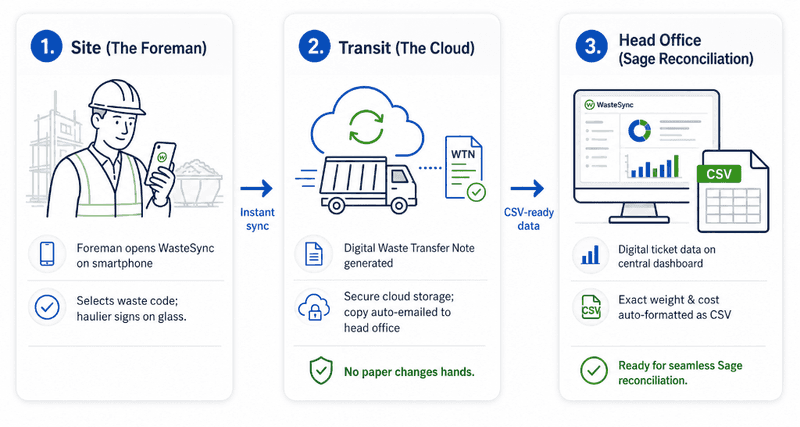
A secure web link on your foreman's phone. It captures waste codes, haulier signatures and weights offline, syncs to head office and exports CSV for Sage reconciliation.
Understand the supply chain impact and key dates in our post on why construction firms must prepare for digital waste tracking early.
What your foremen get.
Offline PDF waste transfer notes.
Compliant transfer notes generated instantly on site, with no mobile signal.
Haulier signs on glass.
The haulier signs on the foreman's phone screen at handover. No paper to chase later.
EWC code selection.
The mandated six-digit EWC codes are picked at capture, so records are right first time.
Auto-email to head office.
Email receipts land with your admin team the moment each record syncs.
CSV-ready data.
Compliance logs export ready for import, so nobody types the same ticket twice.
Zero IT involvement.
Supervisors and foremen start logging in seconds by loading a single secure web link sent by SMS.